File: CVVDP-9.5_Webp-vs-JXL_flicker.webp (1.85 MB, 960x769)

This bash script uses the lossless animated Webp to create a loop to compare Webp and JXL to each other and a source PNG.
The Webp/JXL filenames are overlaid to display hidden info (ie filesize/CVVDP score/encoding parameters).
sRGB signaling is enforced for all images and finally temporary PNG intermediate files are deleted.Dependencies: FFmpeg, libwebp, and libjxl#!/usr/bin/env bash for f in in.png; do ffmpeg -hide_banner -loglevel error -color_primaries bt709 -color_trc iec61966-2-1 -i "$f" \ -vf "format=rgb24,drawtext=text='$(basename "$f")':fontcolor=white:fontsize=12:box=1:boxcolor=black@0.6:boxborderw=8:x=20:y=20" \ -pix_fmt rgb24 png.png done for f in *.webp; do dwebp -quiet "$f" -o decwebp.png ffmpeg -hide_banner -loglevel error -color_primaries bt709 -color_trc iec61966-2-1 -i decwebp.png \ -vf "drawtext=text='$(basename "$f")':fontcolor=white:fontsize=12:box=1:boxcolor=black@0.6:boxborderw=8:x=(w-text_w)/2:y=20" \ -pix_fmt rgb24 webp.png done for f in *.jxl; do djxl "$f" decjxl.png --quiet ffmpeg -hide_banner -loglevel error -color_primaries bt709 -color_trc iec61966-2-1 -i decjxl.png \ -vf "format=rgb24,drawtext=text='$(basename "$f")':fontcolor=white:fontsize=12:box=1:boxcolor=black@0.6:boxborderw=8:x=w-text_w-20:y=20" \ -pix_fmt rgb24 jxl.png done img2webp -lossless -m 6 -loop 0 -d 1000 png.png webp.png jxl.png -o Webp-vs-JXL_flicker.webp rm -f png.png decwebp.png webp.png decjxl.png jxl.png
File: CVVDP-9.5_Webp-vs-JPG_flicker.webp (1.60 MB, 960x769)

This is not meant to treat JXL as entirely inferior to Webp, just show that even though CVVDP is a state of the art high fidelity image quality metric, it is not perfect.
Explicit sRGB signaling is important for image testing as FFmpeg will not assume it by default. FFMPEG PNGs generated without it can suffer from incorrect brightness/gamma.
I am also using this Webp vs JPG variant in a botched LOSSY JPG/Webp/JXL/AVIF comparison thread I'm currently debugging that also suffered from incorrect colorspace assumptions.#!/usr/bin/env bash for f in in.png; do ffmpeg -hide_banner -loglevel error -color_primaries bt709 -color_trc iec61966-2-1 -i "$f" \ -vf "format=rgb24,drawtext=text='$(basename "$f")':fontcolor=white:fontsize=12:box=1:boxcolor=black@0.6:boxborderw=8:x=20:y=20" \ -pix_fmt rgb24 png.png done for f in *.webp; do dwebp -quiet "$f" -o dwebp.png ffmpeg -hide_banner -loglevel error -color_primaries bt709 -color_trc iec61966-2-1 -i dwebp.png \ -vf "drawtext=text='$(basename "$f")':fontcolor=white:fontsize=12:box=1:boxcolor=black@0.6:boxborderw=8:x=(w-text_w)/2:y=20" \ -pix_fmt rgb24 webp.png done for f in *.jpg; do ffmpeg -hide_banner -loglevel error -color_primaries bt709 -color_trc iec61966-2-1 -i "$f" \ -vf "format=rgb24,drawtext=text='$(basename "$f")':fontcolor=white:fontsize=12:box=1:boxcolor=black@0.6:boxborderw=8:x=w-text_w-20:y=20" \ -pix_fmt rgb24 jpg.png done img2webp -lossless -m 6 -loop 0 -d 1000 png.png webp.png jpg.png -o Webp-vs-JPG_flicker.webp rm -f png.png dwebp.png webp.png jpg.png
File: 11020.webp (562 KB, 1200x848)

Late Summer Edition
5 replies and 3 images not shown. Open the thread to see all of them.
Also, sorry for being a bit condescending here. I know ever since 2024 came around finding work has been fucking brutal so just commenting passively and saying you should be saving up a shit ton of money in your 20's is kind of belittling but the point still stands, compound interest will make your future much better in terms of finances.
89 replies and 23 images not shown. Open the thread to see all of them.
File: MV5BMmRjYmJmN2QtMTNiMS00MGRkLTg0NWItMGMyNGE5ODE4ZjkyXkEyXkFqcGc@._V1_.webp (112 KB, 780x1147)

File: 1774735564818490.gif (699 KB, 165x163)

>bought a samsung smart TV to use as PC monitor
>it works great
>a firmware update later, the TV now loads on the fucking samsung TV crap when it turns on
>another firmware update later, the they added another ad slot when I open the menu
Fucking hell
10 replies and 2 images not shown. Open the thread to see all of them.

File: 2902.webp (600 KB, 1200x1200)

>>1710 (OP)
I will keep using Windows 7 until they take it from my cold dead hands.
File: 2024_cvvdp_graph_abstract_720p.mp4 (1.58 MB, 1200x720)
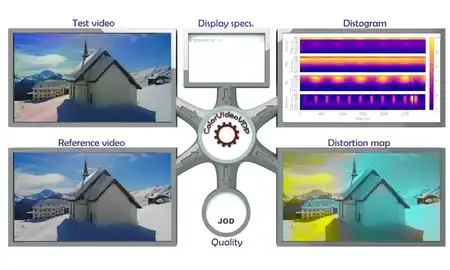
https://files.catbox.moe/auw8e7.txt
Primary goal: Determine compression efficiency between image codecs using a CVVDP score.
Secondary goal: Investigate diminishing returns between Webp and JXL
Currently only works with this specific input file: in.png. Only tested in Ubuntu WSL.
Replace /mnt/c/Users/1337/AppData/Local/Programs/Python/Python313/Scripts/cvvdp.exe with your CVVDP location.
CVVDP SDR display model used: standard_fhd. Scores tested: ~9.0 and ~9.5
My subjective CVVDP interpretation is that ~9.0 = medium quality and ~9.5 = high quality
Use CVVDP with photographic images only as it does poorly with Anime ones.
The display I'm using is a 27 inch 1080p monitor (~82 PPI), viewing distance is ~20 inches.
Created 9-20-2026, using the following dependents and their parameters:
ColorVideoVDP v0.5.7 (released on 08-02-2026) cvvdp -t out.png -r in.png --device cpu -d standard_fhd -m cvvdp
CJPEG version 6b (released on 03-27-1998) cjpeg -baseline -sample 1x1,1x1,1x1 -quality X in.ppm > out.jpg
libwebp v1.6.0 (released on 06-30-2025) cwebp -m 6 -af -q X in.png -o out.webp
libjxl v0.12.0 (released on 07-01-2026) cjxl in.png out.jxl -e 10 --override_bitdepth=10 -q X
libavif v1.4.2 (released on 05-26-2026) avifenc -y 420 -d 10 -s 4 -q X in.png out.avif
ffmpeg version N-125350-g3f6bf150cb-20260629
12 photographic wikipedia images being tested, resized to 50% PNGs, attribution provided in zip:
https://files.catbox.moe/te69tk.zip
https://files.catbox.moe/auw8e7.txt
Example Ubuntu WSL shell output:JPG CVVDP= 9.54 Fsize= 178.7 KB [ cjpeg -baseline -sample 1x1,1x1,1x1 -quality 55 ] Webp CVVDP= 9.54 Fsize= 176.9 KB [ cwebp -m 6 -af -q 78 ] JXL CVVDP= 9.54 Fsize= 133.9 KB [ cjxl -e 10 --override_bitdepth=10 -q 78 ] AVIF CVVDP= 9.55 Fsize= 134.3 KB [ avifenc -y 420 -d 10 -s 4 -q 60] WebP compression efficiency relative to [ JXL: 4.0 % ] & [ AVIF: 4.1 % ]
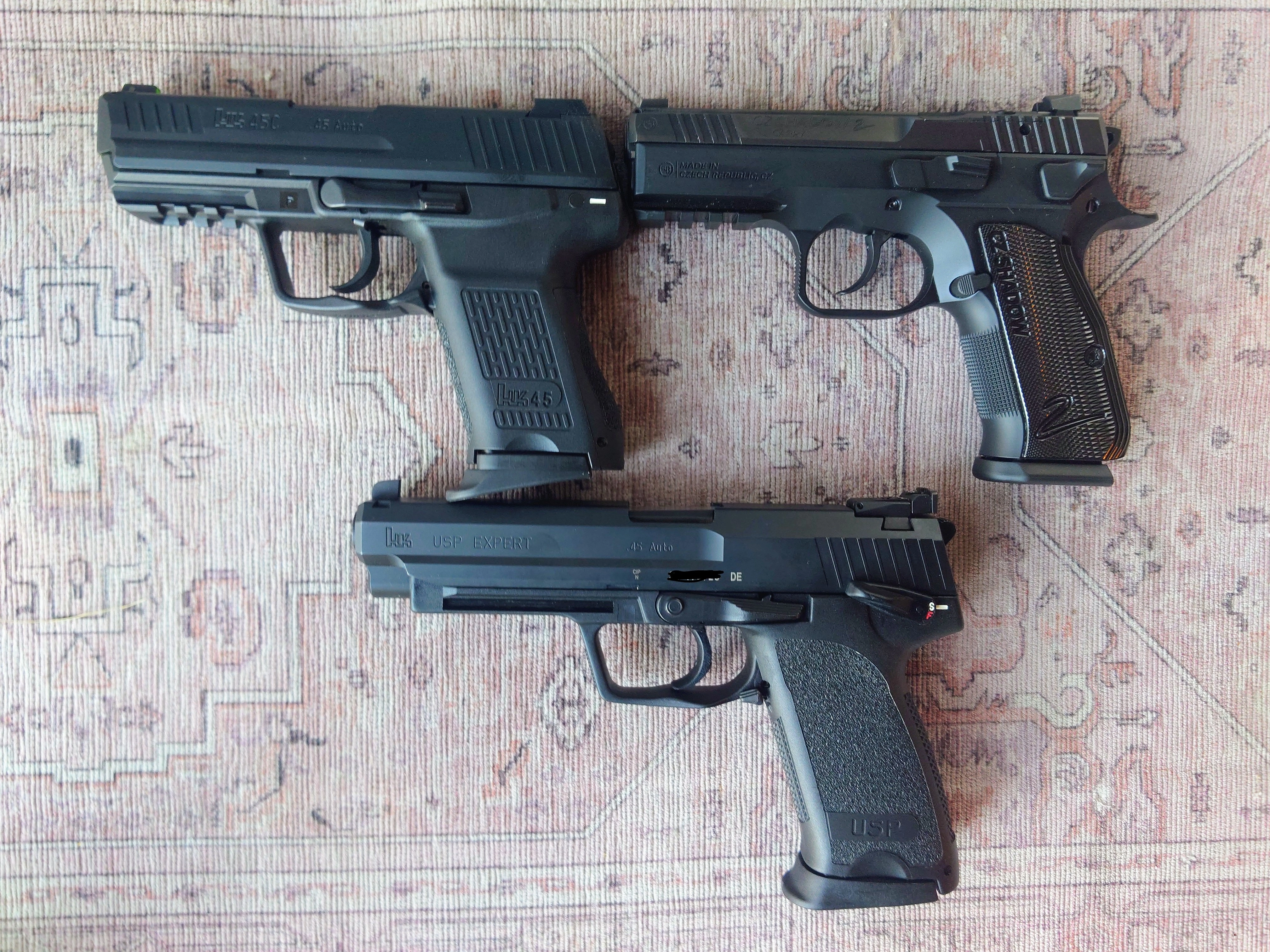
File: gun-love.webp (140 KB, 720x537)

Ever since the first hominid decided to pick up a rock and toss it at another life form, the technological leap provided by weaponry has shaped evolution and is inseparable from humanity.
And they're simply neat!
This is the place to discuss anything related to weapons and weapon accessories.
6 replies and 3 images not shown. Open the thread to see all of them.
File: Untitled23.webp (57 KB, 979x862)
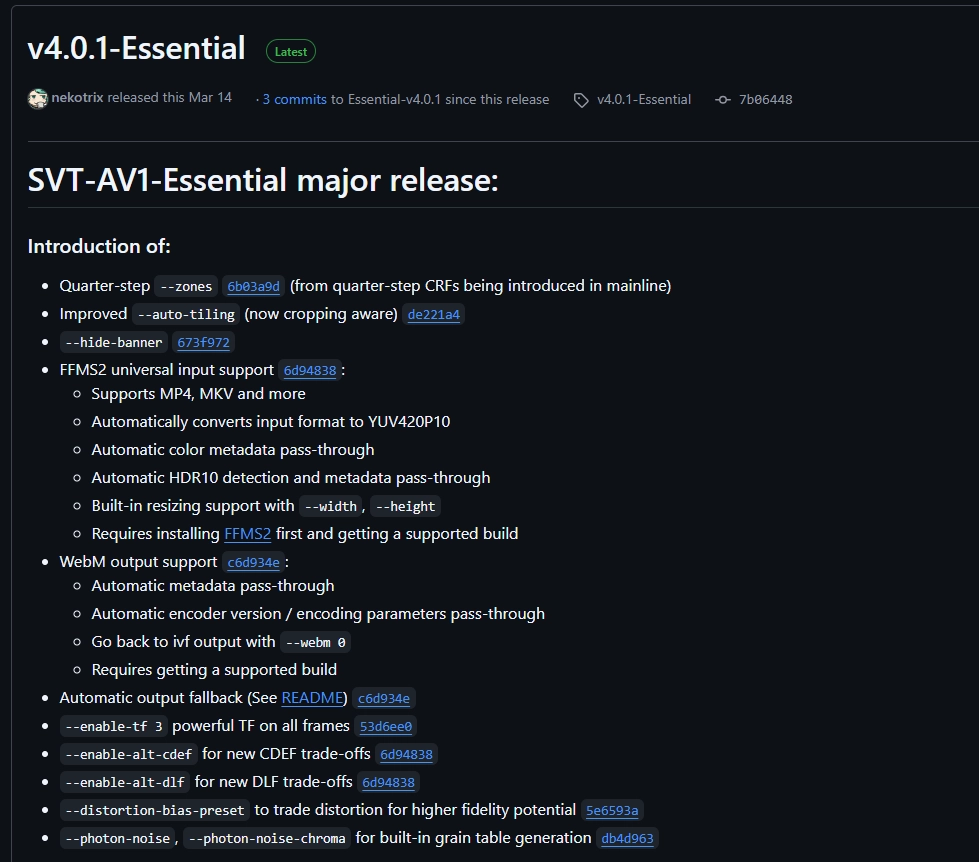
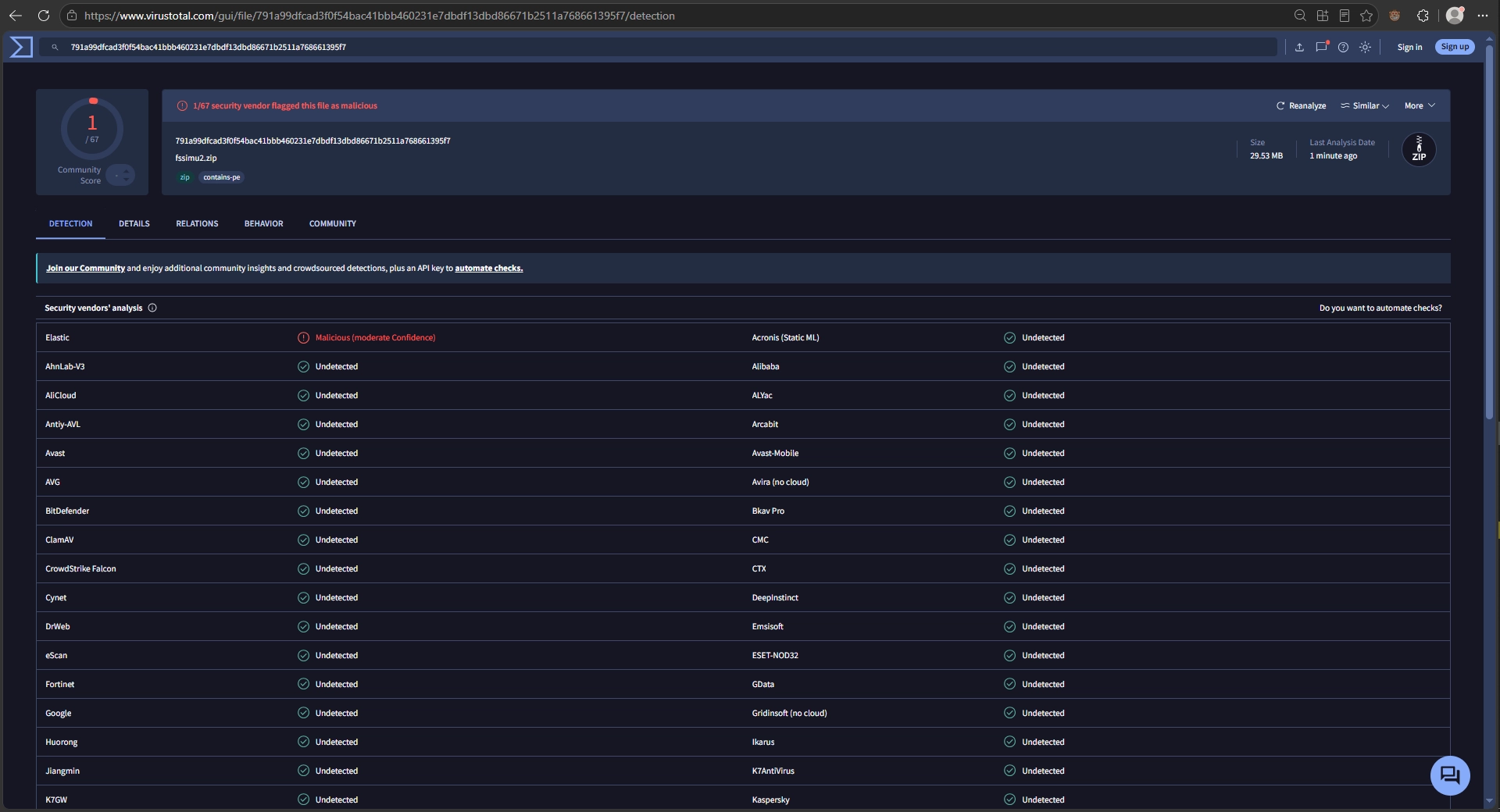
I found a good SVT-AV1 fork for high quality Anime encodes and made a DRAG&DROP windows batch script for it that includes SSIMULACRA2 scoring.
I also compiled the fssimu2 project for windows otherwise you have to manually convert video frames to PNG and math out the average by hand.https://github.com/nekotrix/SVT-AV1-Essential/releases/tag/v4.0.1-Essential@echo off & setlocal set "input=%~1" & set "outbase=%~dpn1" & set "stfu=-hide_banner -loglevel fatal" set "av1base=--lookahead 32 --preset 4 --rc 1 --max-qp 60" set "psy=--ac-bias 0.5 --enable-dlf 3 --noise-adaptive-filtering 4" set "bt701=--color-primaries 1 --transfer-characteristics 1 --matrix-coefficients 1" echo Welcome to the mini Essential SVT-AV1 2 pass drag and drop encoder, SSIMULACRA2 included at the end :ASK set /p bitrate="Enter 2 pass kbps bitrate: " && set /a bitrate=bitrate 2>nul || goto ASK if %bitrate% LSS 1 (goto ASK) else if %bitrate% GTR 10000 goto ASK echo: ffmpeg %stfu% -i %input% -map 0:v:0 -pix_fmt yuv420p10le -f yuv4mpegpipe -strict -1 - | ^ SvtAv1EncApp-4.0.1-Essential-Windows_Optimized -i - %av1base% --tbr %bitrate% %psy% %bt701% --pass 1 -b temp1pass.ivf ffmpeg %stfu% -i %input% -map 0:v:0 -pix_fmt yuv420p10le -f yuv4mpegpipe -strict -1 - | ^ SvtAv1EncApp-4.0.1-Essential-Windows_Optimized -i - %av1base% --tbr %bitrate% %psy% %bt701% --pass 2 -b temp2pass.ivf ffmpeg %stfu% -i temp2pass.ivf -c:v copy -an -y "%outbase%_%bitrate%_kbps_2pass_essential-av1.webm" echo: && echo --- calculating SSIMULACRA2 score of "%outbase%_%bitrate%_kbps_2pass_essential-av1.webm" --- && echo: ffmpeg %stfu% -i %input% -pix_fmt yuv420p input.y4m && timeout /t 5 /nobreak ffmpeg %stfu% -i "%outbase%_%bitrate%_kbps_2pass_essential-av1.webm" -pix_fmt yuv420p output.y4m timeout /t 5 /nobreak && fssimu2 input.y4m output.y4m del temp1pass.ivf temp2pass.ivf svtav1_2pass.log input.y4m output.y4m && pause
https://github.com/gianni-rosato/fssimu2
File: q80.webp (106 KB, 540x540)

I made some progress optimizing animated Webp compression. Simple windows batch scripts for now as I improve with Bash.
This takes Screenshot (X).png files and renames them to 01.png 02.png 03.png frames for ffmpeg processingThis scales the frames to 50% size and crops them to 540x540, assuming source is 1920x1080. Also exports them to a new png_444 folder.@setlocal EnableDelayedExpansion & set n=1 for %%f in (*.png) do ren "%%f" "!n:~ -2!.png" & set /a n+=101This converts the png_444 frames into an intermediate RGB video file, may not be necessary...@echo off & setlocal EnableDelayedExpansion mkdir png_444 & for %%f in (*.png) do ffmpeg -hide_banner -i "%%f" -vf "scale=iw/2:ih/2,crop=540:540:(iw-540)/2:(ih-540)/2" -y "png_444/%%~nf.png"ffmpeg -framerate 1 -i %%02d.png ^ -c:v libvpx-vp9 -cpu-used 4 -r 1 -g 1 ^ -b:v 0 -crf 0 -qmin 0 -qmax 0 -pix_fmt gbrp out.webm
File: out.webm (3.46 MB, 540x540)

This allows you to click and drag the RGB video file, reverse it, and splice the original with the reversed variant to create a smooth animation loop.Converts back to sRGB PNG frames. I need to splice this with the above but it works separately for now.@echo off ffmpeg -i "%~1" ^ -filter_complex "[0:v]split[v1][v2];[v2]reverse[vr];[v1][vr]concat=n=2:v=1:a=0[vout]" ^ -map "[vout]" -c:v libvpx-vp9 -cpu-used 4 -g 1 -r 1 ^ -b:v 0 -crf 0 -qmin 0 -qmax 0 -pix_fmt gbrp ^ "%~dpn1_reversed.webm"ffmpeg -hide_banner -loglevel quiet -color_primaries bt709 -color_trc iec61966-2-1 -i "%~1" %%02d.png
img2webp
This is the biggest headache for now, I know the first frame duration needs to be longer than the rest to create a "bouncing" feeling of the animation loop but I don't know how to do it without manually punching in all frames in.
For my OP animated Webp there were a total of 16 final sRGB PNG frames created 01.png to 16.png but god dam there must be a better way to do this
Also img2webp does not seem to contain the -pre 2 parameter that cwebp contains so I'm unable to mitigate color banding through it. Possible ffmpeg filter analogue might exist, don't know which one though.
img2webp -q 80 -min_size -m 6 -loop 0 -d 600 01.png -d 50 02.png -d 50 03.png -d 50 04.png -d 50 05.png -d 50 06.png -d 50 07.png -d 50 08.png -d 50 09.png -d 50 10.png -d 50 11.png -d 50 12.png -d 50 13.png -d 50 14.png -d 50 15.png -d 50 16.png -o q80.webp
Webm related is the intermediate RGB video file (before reversal), it's locked at 1 FPS, might be possible to assign a dynamic framerate and skip frame duration signaling in img2webp