File: 1781487800850872.webp (1.50 MB, 1536x2048)

During a conversation with @webpgoy we cooked up an idea for an image tab in the settings. Right now all the static image options from our image processor sharp are available for testing.
I already noticed setting the effort to 6 increases the processing time by a ridiculous amount so maybe that should be capped to a lower value.
The idea right now is to test what makes sense, right now when you create a new preset it uses the default values so we can even double check if the default values make sense, for example a 800kb jpg is turning into a 1.5mb webp, which seems counterintuitive.
ps: animated webps and gifs are left alone, these settings don't apply to them
Tags: Discussion
File: Great_Grey_Shrike_in_Bhigwan_August_2025_by_Tisha_Mukherjee_02-1.webp (2.97 MB, 3840x2560)
>>749
og jpg is 1.6 MB
File: expert_weeb.webp (69 KB, 1080x1080)

>>748 (OP)
Cool man. I think we should break this kind of thing into separate parts and treat them separately, if I've learned anything from my current JLPT N5 struggles is that trying to focus on everything at once makes me ragequit more often.
JPG source: To really torture test Webp, a JPG source doesn't just have to be bloated but it must be a complex DSLR photograph of a person with very fine visible hair/skin/clothing detail. Also has to be under 5MB so it uploads here.
This seems to fit those requirements, source from a Canon EOS 9000D: https://commons.wikimedia.org/wiki/File:Trend_Girls_Photo_Session_%28May_3,_2025%29IMG_5236.jpg
Quality metric: Generally the older and less compute-intensive the less reliable they tend to be. From worst to best: PSNR, SSIM, VMAF, VMAF NEG and CVVDP.
CVVDP beats VMAF but I can't figure out how to use the former so I'm kinda stuck with VMAF NEG for now. It's also available on FFmetrics so more people can join in which would help the subjective agreements.
Quality metric score: Things like SSIM 0.99 or VMAF/VMAF NEG 95 are really conservative toward very high quality but it picks up so much encoder noise that's it's hard to measure small 5-10% visual improvements.
My best guess is they should still be high but not too high. I'm going to try VMAF NEG ~85 but it may produce large quality differences against higher values, I'm not sure.
Manual visual inspection method: Somehow flip between different encodes and comment subjective opinion about them.
Taking a video manually flipping from one encode to the next might work but maybe there's A/B image testing software out there?
File: Trend_Girls_Photo_Session_(May_3,_2025)IMG_5236.webp (230 KB, 2224x3200)

>>748 (OP)
Welp, here goes my first attempt at this. Everything left alone except quality was set to 80.
File: Trend_Girls_Photo_Session_(May_3,_2025)IMG_5236.webp (138 KB, 2224x3200)

>>753
VMAF NEG 90.4
Attempting -q 55 generic
File: Trend_Girls_Photo_Session_(May_3,_2025)IMG_5236.webp (139 KB, 2224x3200)

>>756
Success, VMAF 85.3 for -q 55 generic
Attempting -q 58 -preset photo
File: kanako_shock.webp (41 KB, 1080x1080)

>>758
Failed, VMAF 84.6 for -q 58 -preset photo with similar filesize as -q 55 generic
WELP, that's all I got energy for today @void maybe the -preset picture option will do better. I realized too late that this was a portrait style photo. But maybe good to know that the photo preset doesn't work for portrait photos...
Subjective testing between -q 55 generic and -q 55 photo doesn't reveal huge differences other than her earrings becoming more clearer but VMAF NEG said overall the result was worse.
Crumb of hope for CVVDP, I found a project that's making the windows binaries. Doesn't work on my i5 desktop though, it could in the future though...
https://codeberg.org/Line-fr/Vship
>>752
>I think we should break this kind of thing into separate parts and treat them separately
I was thinking about something, there is the default preset, but maybe we should create other presets for each type of image, for example:
Default - general
Default - anime
Default - photorealistic
Also on the backend level for each of these we could also have additional fine tuning, for example:
Default - general (if the source is .jpg)
Default - general (if the source is .png)
Default - anime (if the source is .jpg)
Default - anime (if the source is .png)
Default - photorealistic (if the source is .jpg)
Default - photorealistic (if the source is .png)
File: vista-src.webp (930 KB, 1280x720)
>>761
EDIT: I'm terribly sorry, I had the Q55 option enabled when uploading that lossless webp lol.
I'll be honest, I see little difference between the default one and the drawing preset on my WARi upscales. Maybe the drawing preset might handle H.264 noise a little better but I don't personally use it. I'll test it on a non-upscaled version to be sure though.
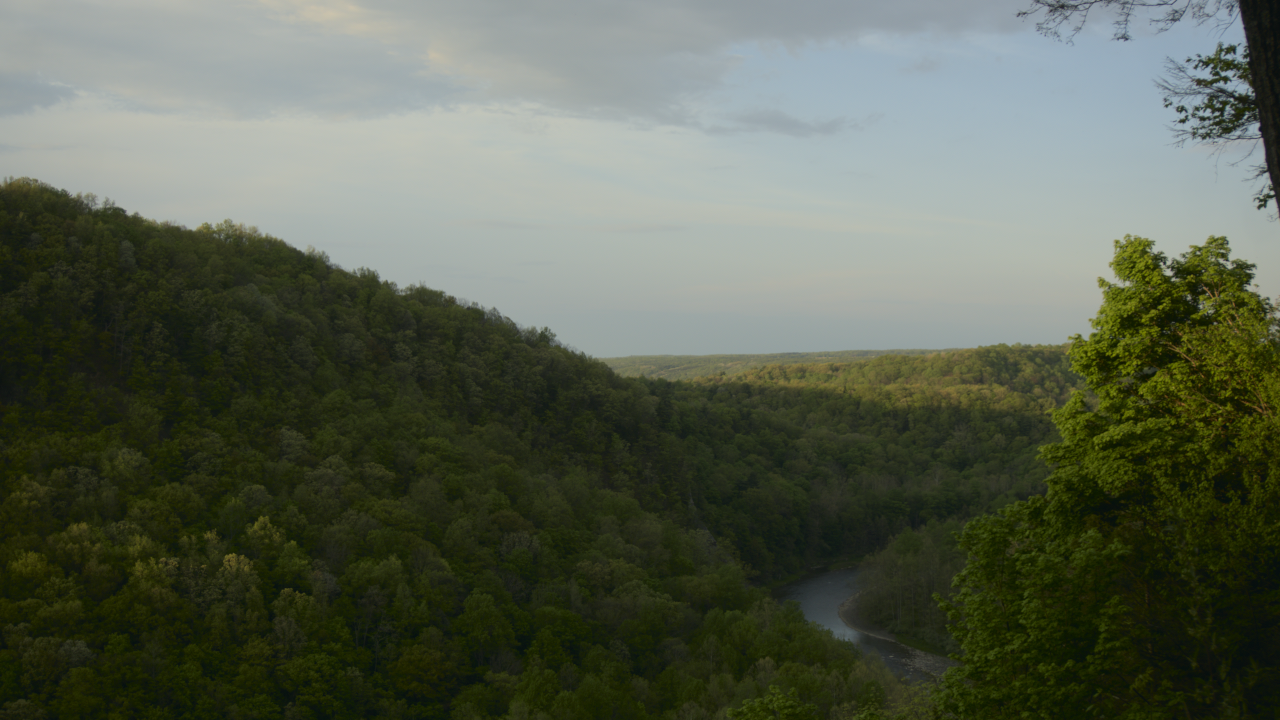
It's mostly tuning for photorealistic that's the problem but I think I've found an important clue/reference point, I feel silly for not thinking of it earlier. On the Halide website where they showcase Iris-WebP, they provide a lossless Webp 720p testing file of an even greater challenge for Webp: God damned trees.
https://halide.cx/img/vista-src.webp
File: subarashi.webp (75 KB, 1080x1080)

>>765
EDIT: I've found a possible issue. The default preset doesn't stick and toggles back to something else. I recommend leaving the Q100/ lossless webp processing thing as the default tbh.
SSIM of 1 achieved comparing uploaded lossless webp to downloaded webp of your website. No lossy compression detected, sorry about that false alarm @void
On a related note that gave me an idea for a thread on /g/. Something that I think hasn't been compared is lossless Webp to lossless JXL and lossless AVIF yet. I doubt JXL is going to go anywhere now that AVIF is a thing (and often beats it) but strangely enough lossless Webp compression beats lossless AVIF compression.
I've heard some anecdotal reports that lossless Webp is like 90% as good as lossless JXL. Big if true, I plan to test that later today or tomorrow. Maybe this could nudge a user or two to switch over here from /g/.
File: save as default.webp (30 KB, 508x775)
>>767
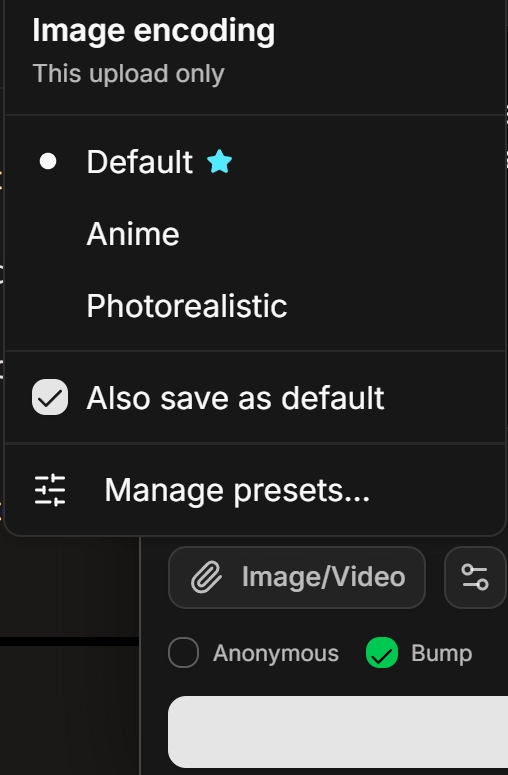
I added a new "Also save as default" checkbox on the presets picker. Just check it and then click on one of the options and it will save it as default. It should make things easier to test.
File: jahy_thinking.webp (84 KB, 1080x1080)

>>835
Because more efficient image codecs make it easier/nicer to share stuff on the web while keeping pirates at bay.
If 4chan/Umi had 200MB upload limits similar to catbox then we could just keep using PNG/JPG/H264 forever tbh.
But they don't because:
- Hosting large 100-200MB files causes bandwidth costs to explode.
If a thread with a few of them totaling 1GB got popular you could be looking at TBs of bandwidth PER DAY.
That's expensive and would have to be susidized with tons of ads, which users hate.
- Most people want and even expect things to load quickly.
When they have to wait more than a few seconds it makes them abandon the site.
- Not everyone has fast unlimited internet, especially on mobile.
Even if the site was subsidized by a millionaire to allow 200 MB upload limits, users with 1-8 Mbps ISPs are fucked.
If they had a 5GB data cap, viewing (not even downloading yet) 100-200 MB files would use up their data within days.
- Not everyone has hundreds of GBs of free storage space.
Most people have hundreds of GBs of vidya gaems, music/video, installed programs... maybe 10GB of free space left.
When they see a 100-200 MB files, they probably won't download it and share it at a future date.
- 200MB upload limits invites pirates.
That's really cool for users but not so much for the site being hunted by government agencies all over the world.
Catbox is being banned/blocked by many countrie/ISPs for this and many other reasons. https://catbox.moe/faq.php
Anyway, 4-6 MB upload limits makes everyone happy but with JPG/PNG it limits quality/resolution.
Both lossy and lossless Webp increase those quality/resolution limits at the same 4-6 MB upload limits.
Animated Webp is where quality/resolution of animations loops will skyrocket. It's difficult to use though.
File: Untitled.webp (69 KB, 1129x492)
>>839
I have a 256GB SSD right now, really wanting to move up to a 1TB SSD. The best I could find was some shit ass dramless chinese who? brand "on sale" and I still can't afford it...
Never going back to a HDD though, if I didn't defrag that son of a bitch every few days my computer felt like a shopping mall kiosk.
File: ahhhhh.webp (17 KB, 767x766)
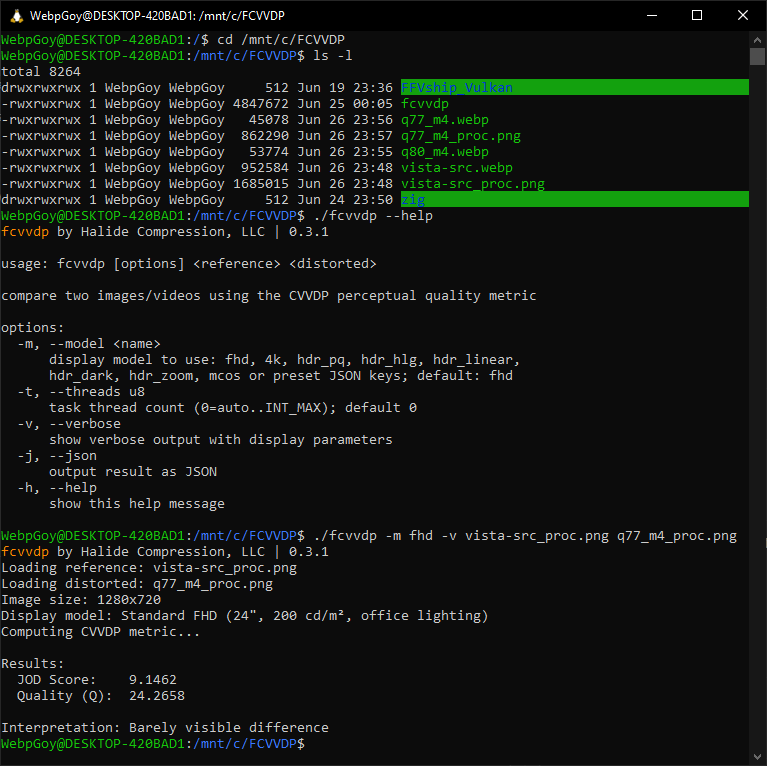
@void Good news: after what seemed like an eternity using Chatgpt, I was finally able to compile the FCVVDP linux executable with ZIG under WSL.
File: q77_m4.webp (44 KB, 1280x720)
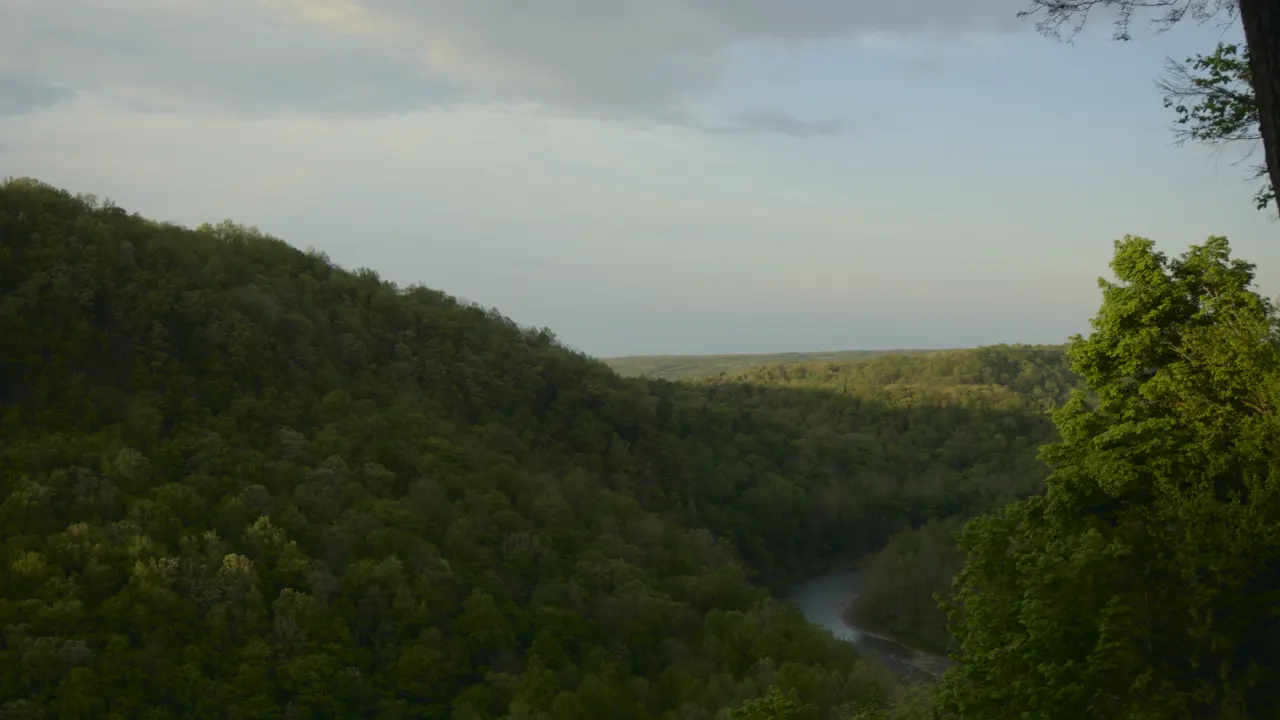
Lossy Webp related sourced from the lossless one here >>765
It's 45,078 bytes and was encoded with cwebp -m 4 -q 77
CVVDP score = 9.1462
WEW, it's all I got energy for today but now we have an excellent starting point. Now all that's left is to try to get that CVVDP score up with vanilla webp preset/fine-tune options.
File: iris-webp_vista-iris.webp (45 KB, 1280x720)
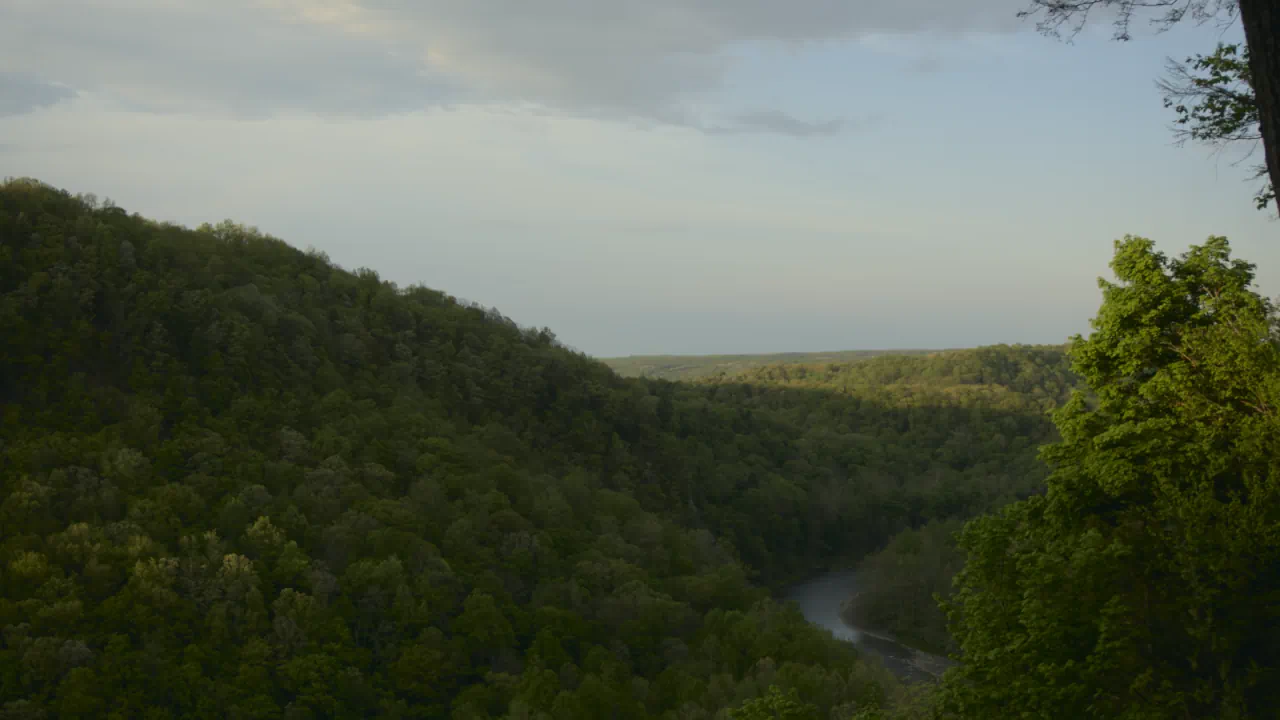
Also the Halide Iris-Webp one is 46,340 bytes and specifically with their FCVVDP I got:
CVVDP score = 9.3757
I don't think we'll be able to achieve this score with vanilla webp, but even if we break 9.2 I'd consider that a win. If not then AVIF for 2027 or Christmas 2026 if you're brave enough would be the next best thing IMHO.
File: FCVVDP_scoring.webp (14 KB, 1030x515)
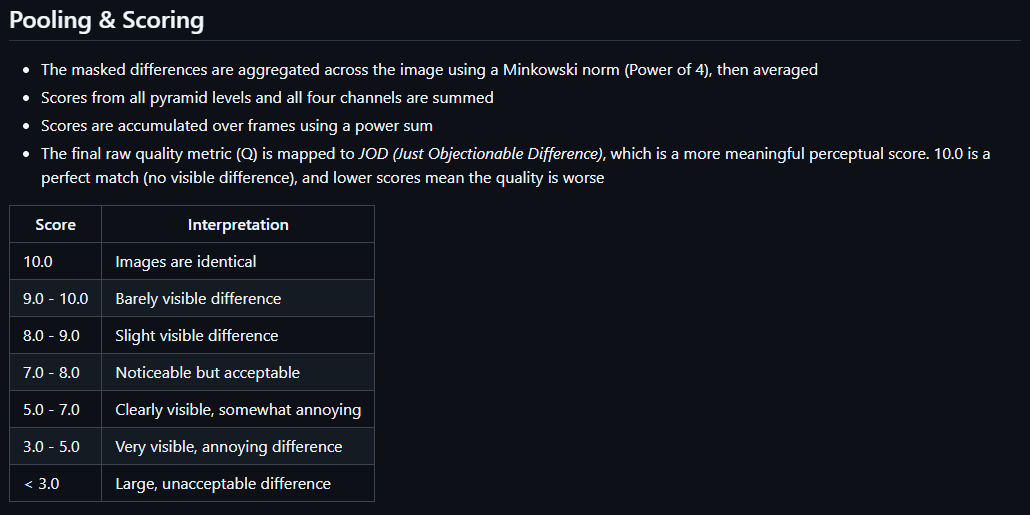
Final thing before I call it a night:
According to FCVVDP documentation any score above 9.0 = high fidelity but around 9.5 is where the correlation for that is high. I think you should reconsider going overkill for user PNG/JPG uploads (by default anyway). I've thought about making a thread where various images sources are used to monitor what -q cwebp parameter they hit 9.5 CVVDP. Maybe you can use what I get from that to convert user PNG/JPG images to lossy webp and safely reduce their filesize with only a minor/possibly insignificant hit to quality.
https://github.com/halidecx/fcvvdp/blob/main/doc/cvvdp.md
>>853
>It's always good to listen to an expert
Thanks but I haven't hit expert levels of image compression autism yet. Halide might be as close to that as it gets though. Sucks that their paid Iris-Webp encoder will only benefit a few.
At least FCVVDP is free and open source, I guess measuring pixel similarity of an image isn't what matters to people in the end. Ssimulacra2 got somewhat close but CVVDP is as good as it currently gets it seems.
https://halide.cx/blog/fcvvdp/
File: ambush.webp (104 KB, 1080x853)
>>853
Experts seem to agree with CVVDP btw but there is a small catch.
>We generated a dataset of 50 compressed images with fine-grained distortion levels from five diverse sources. A large-scale crowdsourced experiment collected 96,200 triplet responses from 459 participants.
>We reconstructed JND-based quality scales using a unified model based on boosted and plain triplet comparisons.
>Additionally, we evaluated the alignment of multiple objective image quality metrics with human perception in the high-fidelity range.
>The CVVDP metric achieved the overall highest performance; however, most metrics including CVVDP were overly optimistic in predicting the quality of JPEG AI-compressed images.
https://arxiv.org/abs/2504.06301
So from what I gather is Halide ALSO also agrees that although CVVDP aligned well with human opinions 9.0 out of 10.0 JOD has low confidence with high fidelity, you need to go above 9.0 for that...
So I guess the goal is 9.5 JOD for high fidelity with high confidence.
File: wtf_its_not_libjxl.webp (17 KB, 1011x764)
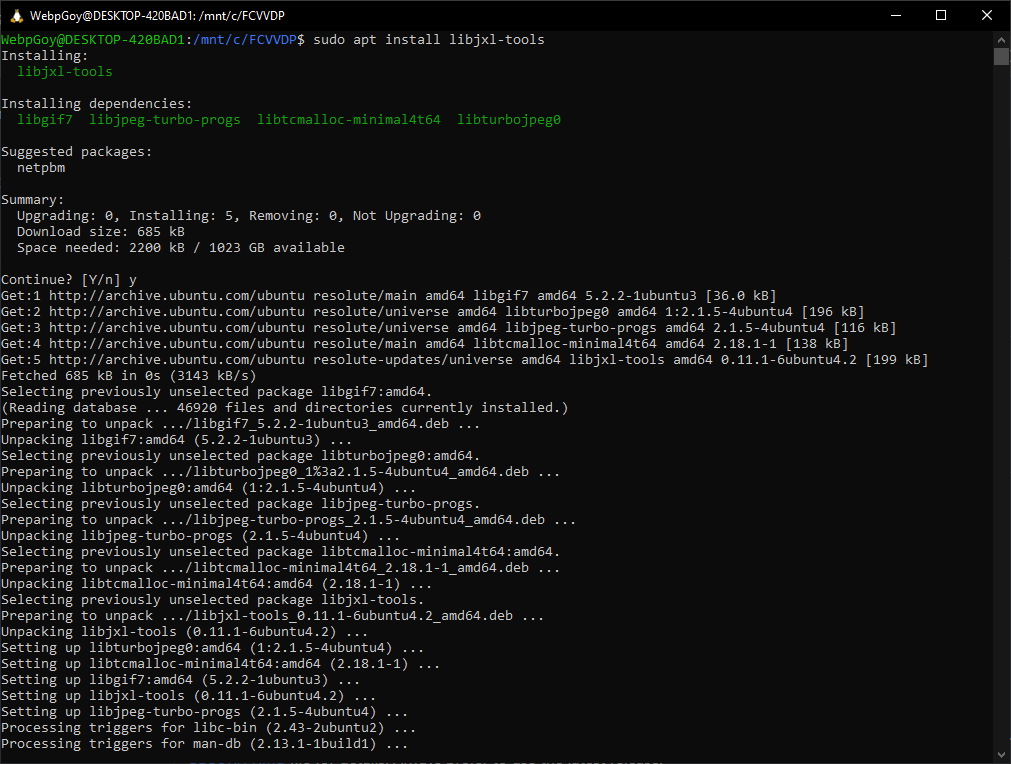
>>856
Leave it alone, many unknowns right now. I'm gonna do my best to come up with a bash script that lets you input parameters, outputs the CVVDP score, and if I'm not overwhelmed even the filesize. The most difficult part, acquiring the FCVVDP executable is finally over, hell maybe in place comparisons might not even be necessary anymore tbh. I was gonna look into animated webp for that since it does support lossless frames but if I can skip that I will tbh.
It also gives me an idea for a /g/ thread linking here about diminishing returns between lossy webp and lossy jxl via CVVDP scores but I'm not sure if I can get to that today.
File: first_bash_script.webp (14 KB, 928x547)
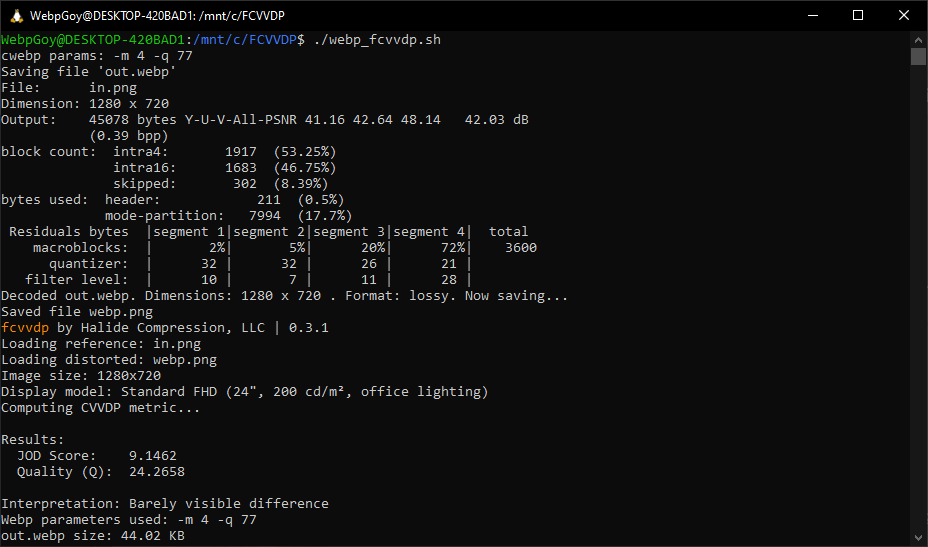
Bash script to calculate CVVDP score while allowing/reporting custom parameters and filesize complete. That last part part was kind of hard to find, apparently there's no "print out filesize in KB" thing.#!/bin/bash read -p "cwebp params: " p cwebp $p in.png -o out.webp && dwebp out.webp -o webp.png && ./fcvvdp -m fhd -v in.png webp.png && echo "Webp parameters used: $p" && echo "out.webp size: $(awk "BEGIN {printf \"%.2f\", $(stat -c%s out.webp)/1024}") KB"
I also found a problem where bash scripts on windows have to be converted with dos2unix before they run else you get: -bash: ./webp_fcvvdp.sh: /bin/bash^M: bad interpreter: No such file or directory.
Making a version of this script to encode JXL/AVIF and also JPG is on my todo list but right now I'll focus on improving stock photographic webp encodes.
BASELINE typical defaultM6 instead of M4 = significant bump in score, ALMOST 9.2CVVDP core = 9.1462 Webp parameters used: -m 4 -q 77 out.webp size: 44.02 KBM6 + auto filter = significant bump in score, 9.2 threshold crossed!CVVDP core = 9.1904 Webp parameters used: -m 6 -q 78 out.webp size: 44.84 KBM6 + auto filter + photo preset = smaller bump in scoreCVVDP core = 9.2303 Webp parameters used: -m 6 -q 78 -af out.webp size: 44.84 KBCVVDP core = 9.2334 Webp parameters used: -preset photo -m 6 -q 78 -af out.webp size: 43.82 KB
>>862
Similar CVVDP/filesize achieved!
Filesize: 44,692 bytes / 1024 = 43.6 KBfcvvdp by Halide Compression, LLC | 0.3.1 Loading reference: in.png Loading distorted: 1782600138990_proc.png Image size: 1280x720 Display model: Standard FHD (24", 200 cd/m², office lighting) Computing CVVDP metric... Results: JOD Score: 9.2238 Quality (Q): 21.9024 Interpretation: Barely visible difference
File: double_slit_experiment.webp (30 KB, 700x732)
Next goal: maintain equal CVVDP scores to determine filesize reduction with different parameters. 3 will be tested:
9.5 = high confidence high fidelity
9.0 = low confidence high fidelity
8.5 = high confidence medium fidelity ????
@void I'm getting dinner rn but I'll be back in a few hours. So far it seems that there is a significant difference in webp settings affecting image compression efficiency.
Whether that will translate to more than 5% filesize reduction is the next unknown. IMHO >>862 looks somewhat better than >>849 but Iris-Webp still looks better than both here >>850
File: -preset photo -m 6 -af -q 81.webp (231 KB, 2224x3200)

Dam this is weird. Fine tuning for photographic images only seems to affect CVVDP 9.5 and even then barely makes a dent tbh. I'll try videogame and anime samples tomorrow.
CVVDP 8.5 results = no benefit from fine-tuningCVVDP 9.0 results = no benefit from fine-tuningCVVDP score = 8.5200 Webp parameters used: -m 4 -q 4 out.webp size: 56.31 KB CVVDP score = 8.5155 Webp parameters used: -preset photo -m 6 -af -q 5 out.webp size: 56.19 KBCVVDP 9.5 results = ~5% benefit from fine-tuningCVVDP score = 9.0165 Webp parameters used: -m 4 -q 29 out.webp size: 93.25 KB CVVDP score = 9.0088 Webp parameters used: -preset photo -m 6 -af -q 31 out.webp size: 91.82 KBCVVDP score = 9.5168 Webp parameters used: -m 4 -q 81 out.webp size: 243.93 KB CVVDP score = 9.5172 Webp parameters used: -preset photo -m 6 -af -q 81 out.webp size: 230.63 KB
>>866
Forgot, source is a 3MB JPG from a Canon EOS 9000D:
https://commons.wikimedia.org/wiki/File:Trend_Girls_Photo_Session_%28May_3,_2025%29IMG_5236.jpg
File: out.webp (68 KB, 1080x1080)
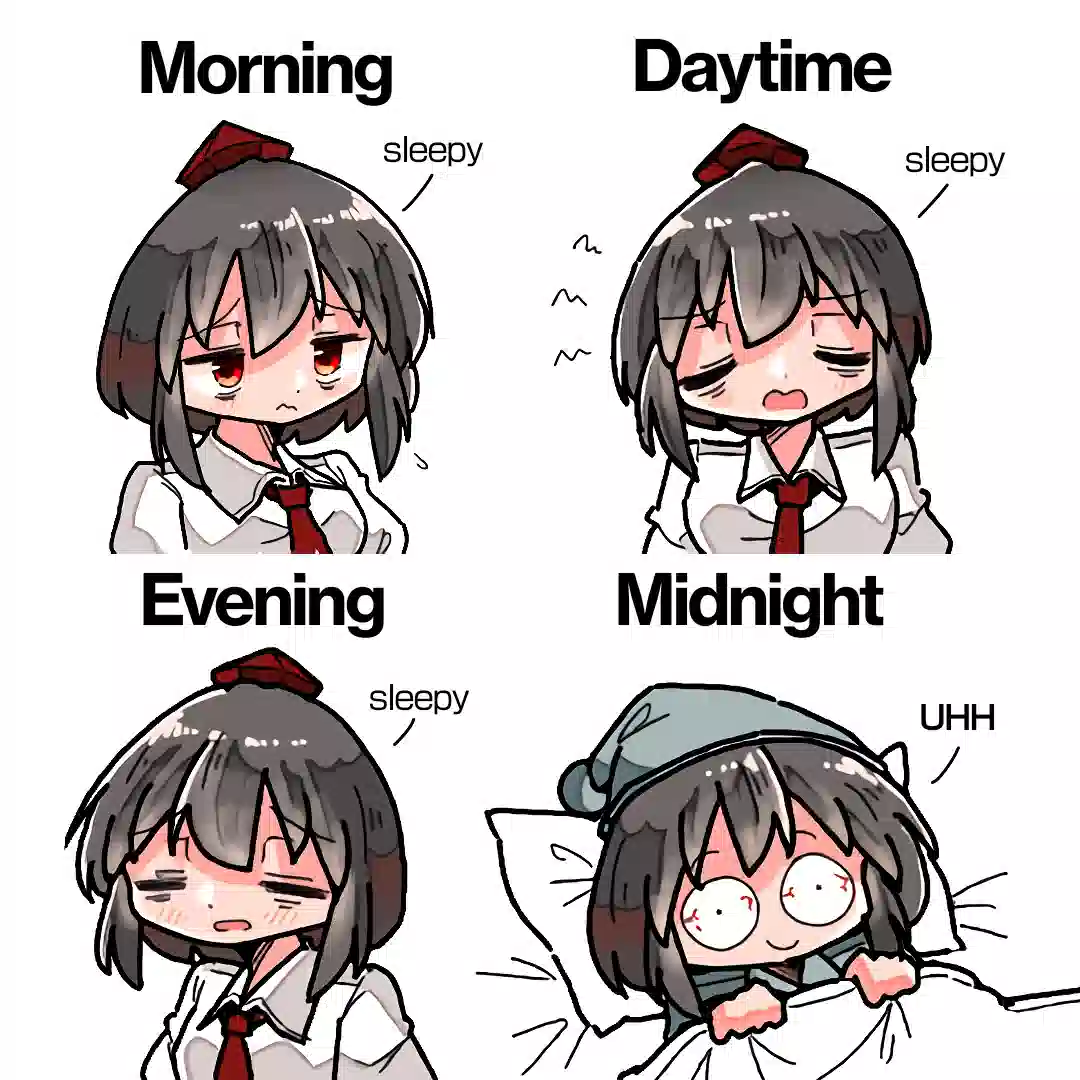
@void update: I've ran into a problem, CVVDP does not seem to perform well on Anime images especially if they have large flat color areas like picrel.The good news is that Netflix just released v1 models for their VMAF metric, I'm hoping this might do better. CAMBI is of particular interest. It's possible those models have been implemented in ffmpeg as more than a week has gone by since the announcement.fcvvdp by Halide Compression, LLC | 0.3.1 Loading reference: in.png Loading distorted: webp.png Image size: 1080x1080 Display model: Standard FHD (24", 200 cd/m², office lighting) Computing CVVDP metric... Results: JOD Score: 9.4499 Quality (Q): 15.1259 Interpretation: Barely visible difference Webp parameters used: -m 1 -q 10 out.webp size: 68.21 KB
>Banding shows up as staircase-like edges in parts of the image that should look smooth. It can have a negative visual impact for viewers, but this impact is not captured well by VMAF v0. VMAF v1 integrates the Contrast Aware Multiscale Banding Index (CAMBI) as one of the elementary features.
https://netflixtechblog.com/vmaf-v1-good-is-not-good-enough-60d7e4244ea8
File: in.png.webp (433 KB, 1080x1080)
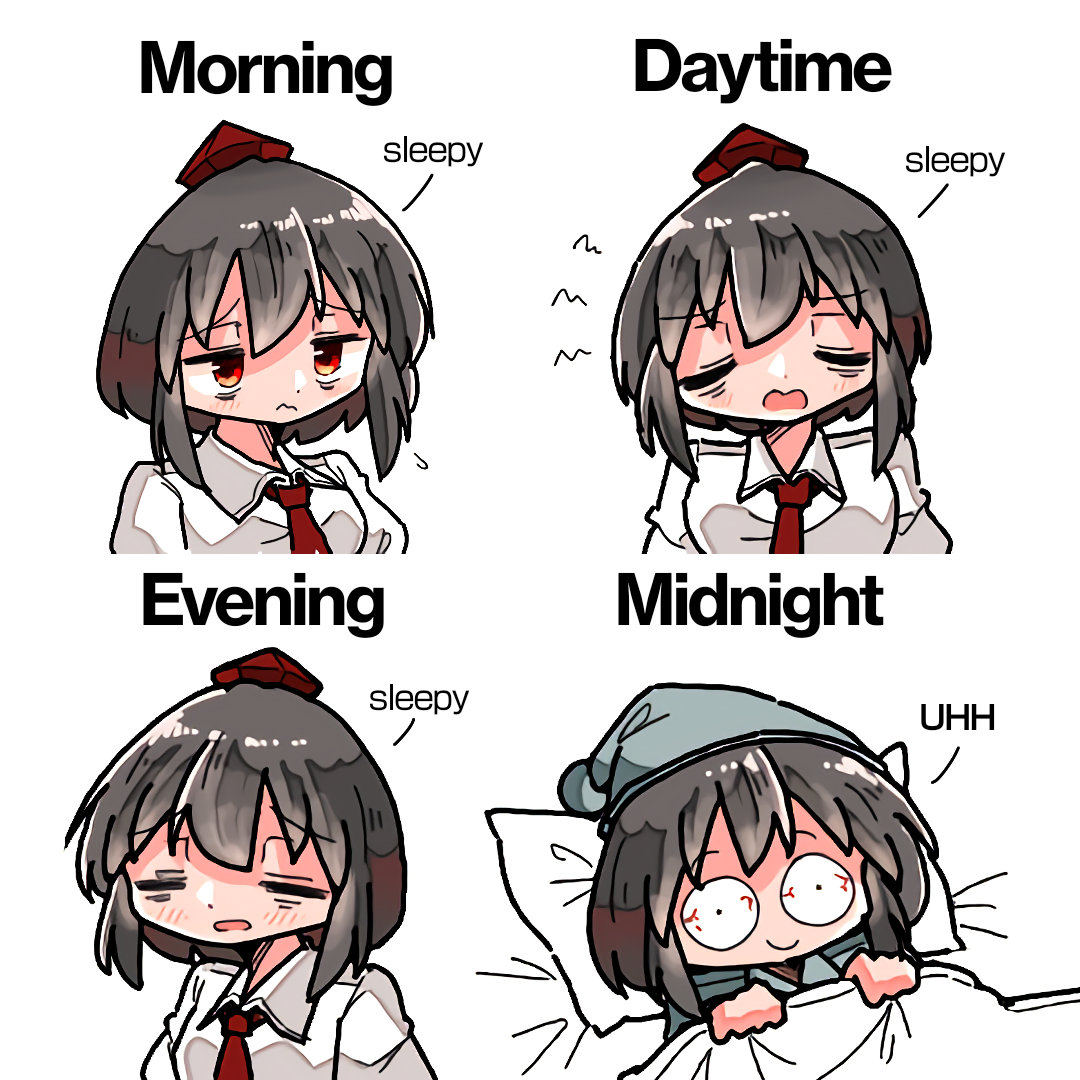
picrel is the lossless webp of the png. The -q 10 webp is nowhere near high fidelity...
>>869
Netflix has a tech blog? That's pretty cool, I suppose it's a nice place to find bleeding tech discussions. I seriously had no idea so much work was done on image quality
And yeah I can spot the difference, the gap in quality between the 2 images you posted is significant
File: i_bet_the_jews_did_this.webp (128 KB, 990x1080)

>>871
Damnit, VMAF v1 is still not available on latest ffmpeg. I've thought of something over the week though. RGB PSNR was mentioned in CVVDP.
It's pretty terrible except on the high fidelity of the KADIK-10k dataset that deals with distortion/quality degradation.
Maybe I can calibrate CVVDP for Anime with it. If I do that I won't have to use separate metrics.
https://www.cl.cam.ac.uk/research/rainbow/projects/colorvideovdp/reports/benchmark/#PSNR-RGB
With the help of chatgpt I was able to come up with this bash script for RGB PSNR but I still have to splice in the CVVDP score in there.#!/bin/bash read -p "jpg quality: " jpgq && read -p "cwebp params: " webpq # in.png to JPG + temp files ffmpeg -hide_banner -loglevel quiet -i in.png -y png.ppm cjpeg -baseline -quality "$jpgq" png.ppm > out.jpg ffmpeg -hide_banner -loglevel quiet -i out.jpg -y jpg.png # in.png to Webp + temp file cwebp $webpq in.png -o out.webp ffmpeg -hide_banner -loglevel quiet -i out.webp -y webp.png # Display PSNR, filesize, and parameters for JPG jpgpsnr=$(ffmpeg -hide_banner -i jpg.png -i in.png -lavfi psnr -f null - 2>&1 | awk -F'average:' '/average:/ {split($2,a," "); printf "%.1f",a[1]}') jpgsize=$(awk 'BEGIN{printf "%.1f",'$(stat -c%s out.jpg)'/1024}') && echo "" echo "JPG RGB PSNR= $jpgpsnr Size= $jpgsize KB -quality $jpgq" && echo "" # Display PSNR, filesize, and parameters for Webp webppsnr=$(ffmpeg -hide_banner -i webp.png -i in.png -lavfi psnr -f null - 2>&1 | awk -F'average:' '/average:/ {split($2,a," "); printf "%.1f",a[1]}') webpsize=$(awk 'BEGIN{printf "%.1f",'$(stat -c%s out.webp)'/1024}') echo "Webp RGB PSNR= $webppsnr Size= $webpsize KB parameters: $webpq" && echo "" # Rename output JPG/Webp with PSNR, filesize, and quality/parameters used mv out.jpg "PSNR-${jpgpsnr}_${jpgsize}KB_Q-${jpgq}.jpg" mv out.webp "PSNR-${webppsnr}_${webpsize}KB_params_${webpq}.webp" # cleanup rm -f jpg.png webp.png png.ppm
File: PSNR-39.4_109.1KB_params_-q 82.webp (109 KB, 1080x1080)
When deployed you get output like this and in addition the important results can be tacked onto the encoded file.If my RGB PSNR CVVDP calibration idea works, that YUV PSNR score might be all you need tbh.File: in.png Dimension: 1080 x 1080 Output: 111692 bytes Y-U-V-All-PSNR 43.83 48.69 47.20 44.81 dB (0.77 bpp) block count: intra4: 2207 (47.73%) intra16: 2417 (52.27%) skipped: 2265 (48.98%) bytes used: header: 468 (0.4%) mode-partition: 11150 (10.0%) Residuals bytes |segment 1|segment 2|segment 3|segment 4| total macroblocks: | 4%| 14%| 31%| 51%| 4624 quantizer: | 24 | 22 | 19 | 14 | filter level: | 8 | 5 | 4 | 2 | JPG RGB PSNR= 39.5 Size= 241.6 KB -quality 90 Webp RGB PSNR= 39.4 Size= 109.1 KB parameters: -q 82
It'll be worth keeping an eye on what range it lands on.
I've also been thinking about something, consider converting all uploaded PNG files under 2MB to lossless Webp.
It'll cost you a bit of bandwidth but maybe it will make users less terrified of their uploads becoming webp.
ALSO maybe create some way of identifying whether a webp displayed is lossless or lossy, that would be hella helpful imho.
When comparing >>870 to
>>874
I got this:Maybe CVVDP 9.9 is where high fidelity Anime lives. I'll try different sources/art styles to make sure though.fcvvdp by Halide Compression, LLC | 0.3.1 Loading reference: in.png Loading distorted: PSNR-39.4_109.1KB_params_-q 82_proc.png Image size: 1080x1080 Display model: Standard FHD (24", 200 cd/m², office lighting) Computing CVVDP metric... Results: JOD Score: 9.9144 Quality (Q): 2.0462 Interpretation: Images are virtually identical
>>874
>It'll cost you a bit of bandwidth but maybe it will make users less terrified of their uploads becoming webp.
>ALSO maybe create some way of identifying whether a webp displayed is lossless or lossy, that would be hella helpful imho.
Yeah, these are pretty good ideas actually

>>881
Cool.
>>882
Conversion to lossless webp would eliminate a lot of confusion but I don't think it would be pragmatic since a lossless webp might be like 10X bigger than a JPG. You'd wind up with a say 3.9MB JPG being converted to 10+ MB lossless webp.
I still think finding an optimal conservative YUV PSNR score in high fidelity image quality (so users won't cry that their image has been turned into roadkill) is better at least for 2+ MB files. Converting sub-2MB PNG uploads to lossless webp seems like a good compromise for now though.
File: expert_weeb.webp (69 KB, 1080x1080)

On a related note I have completed my RGB PSNR-CVVDP calibration script thing and I have also changed the JPG encoder to output 4:4:4 instead of 4:2:0. If RGB PSNR calibration fails, my last ditch effort will be using JPG quality 60-80 but in 4:4:4 output to find the high fidelity range for Anime.
I think I'll stop there before going any further down the image compression rabbit hole though, there's no end to this thing tbh lol. I've already added pngquant of all things to my script but you can ignore that, that's another timesink for lossless webp and the near lossless internal cwebp compressor.
kek, it doesn't fit in an entire post anymore. Here's the important modifications thoughbeit:# Display PSNR, filesize, and parameters for JPG jpgpsnr=$(ffmpeg -hide_banner -i jpg.png -i in.png -lavfi psnr -f null - 2>&1 | awk -F'average:' '/average:/ {split($2,a," "); printf "%.1f",a[1]}') jpgcvvdp=$(./fcvvdp -m fhd in.png jpg.png 2>&1 | awk '/JOD:/ {printf "%.4f",$2}') jpgsize=$(awk 'BEGIN{printf "%.1f",'$(stat -c%s out.jpg)'/1024}') && echo "" echo "JPG RGB PSNR= $jpgpsnr CVVDP= $jpgcvvdp Size= $jpgsize KB -quality $jpgq" && echo "" # Display PSNR, filesize, and parameters for Webp webppsnr=$(ffmpeg -hide_banner -i webp.png -i in.png -lavfi psnr -f null - 2>&1 | awk -F'average:' '/average:/ {split($2,a," "); printf "%.1f",a[1]}') webpcvvdp=$(./fcvvdp -m fhd in.png webp.png 2>&1 | awk '/JOD:/ {printf "%.4f",$2}') webpsize=$(awk 'BEGIN{printf "%.1f",'$(stat -c%s out.webp)'/1024}') echo "Webp RGB PSNR= $webppsnr CVVDP= $webpcvvdp Size= $webpsize KB parameters: $webpq" && echo "" # Display PSNR, filesize, and parameters for pngquant pngqpsnr=$(ffmpeg -hide_banner -i pngquant.png -i in.png -lavfi psnr -f null - 2>&1 | awk -F'average:' '/average:/ {split($2,a," "); printf "%.1f",a[1]}') pngqcvvdp=$(./fcvvdp -m fhd in.png pngquant.png 2>&1 | awk '/JOD:/ {printf "%.4f",$2}') pngqsize=$(awk 'BEGIN{printf "%.1f",'$(stat -c%s pngquant.png)'/1024}') echo "PNGquant RGB PSNR= $pngqpsnr CVVDP= $pngqcvvdp Size= $pngqsize KB quality: $pngq" && echo "" # Rename output JPG/Webp with PSNR, filesize, and quality/parameters used mv out.jpg "PSNR-${jpgpsnr}_CVVDP-${jpgcvvdp}_${jpgsize}KB_Q-${jpgq}.jpg" mv out.webp "PSNR-${webppsnr}_CVVDP-${webpcvvdp}_${webpsize}KB_params_${webpq}.webp" mv pngquant.png "PSNR-${pngqpsnr}_CVVDP-${pngqcvvdp}_${pngqsize}KB_Q-${pngq}.png"
File: 1677181755647498.webp (1.44 MB, 1366x768)

>>883
I see, lemme test this png. I created a new preset and all I did was toggle the lossless button
File: DISTS.webp (644 KB, 1854x1080)
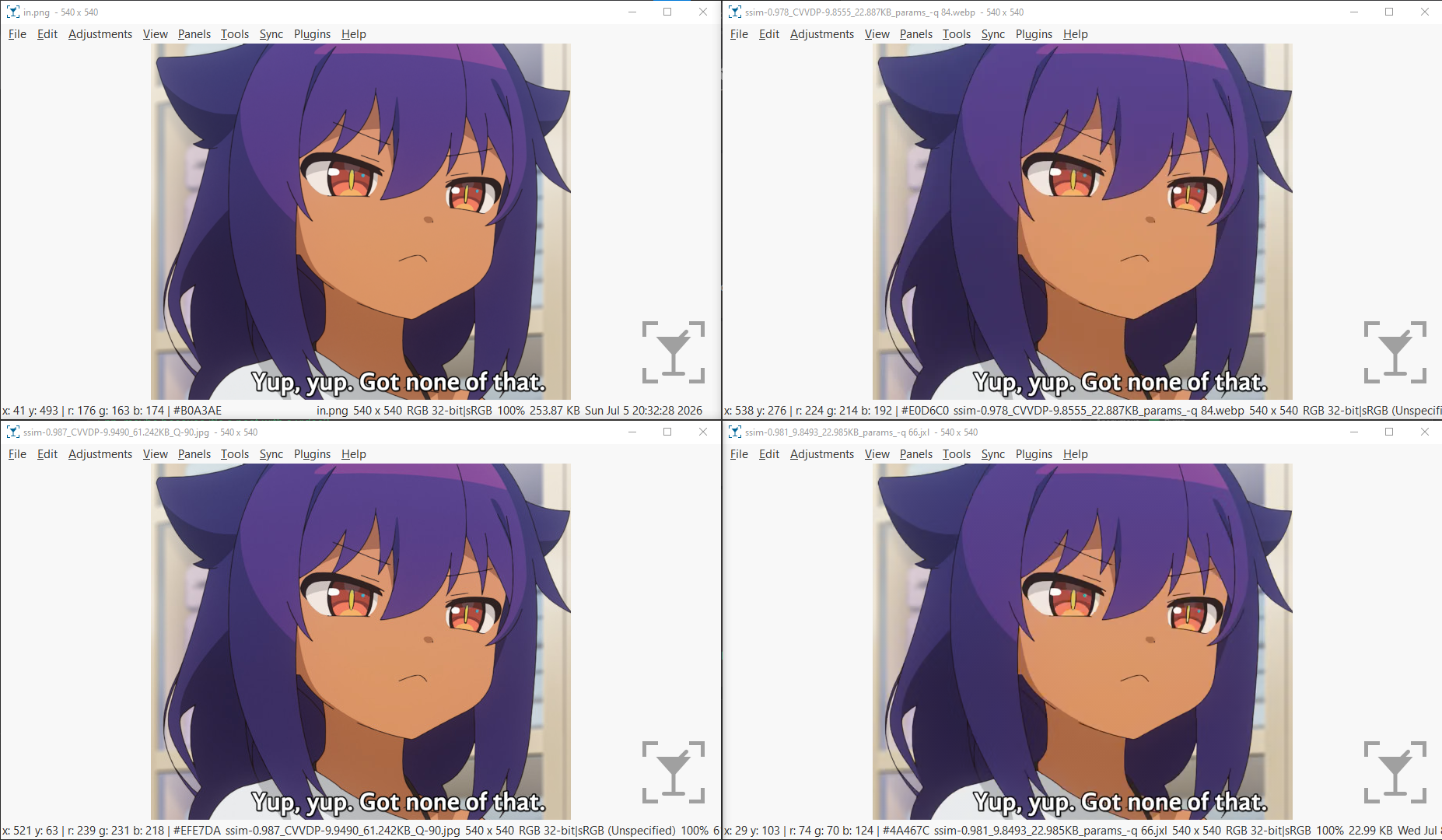
@void I made a little DISTS preview before going to bed
I calibrated DISTS to match -quality 90 4:4:4 JPG, which got me a score of around 0.03
Might be too high on high fidelity, idk. What do you think though, do all these JPG/Webp/JXL images look pretty high quality compared to the in.png one? Because if so jpeg xl not looking too hot, it really struggles with anime it seems. Haven't tested AVIF yet though.
File: 1768678992650.webp (219 KB, 1440x1512)
>>902
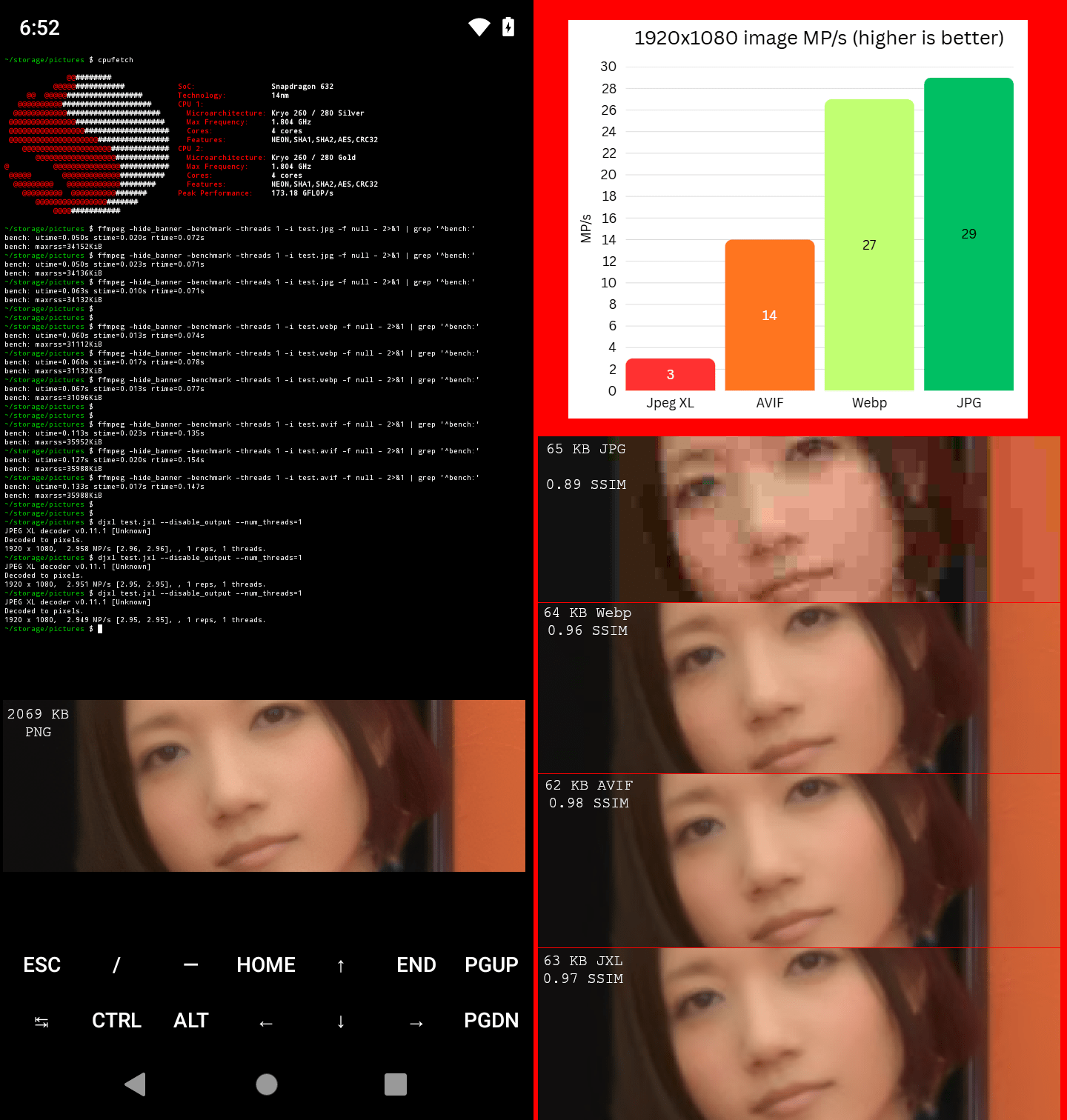
In my current testing the latest libavif v1.4.2 is outperforming JXL outside of Anime, sometimes it's like 5-10% better at photographic content at 9.5 CVVDP despite using 4:2:0, which IMHO is nuts because JXL was supposed to be state of the art for high fidelity photographic content.
Anyway yeah, even if you risk a security disaster, it's uncertain when AVIF decoding will become tolerable enough at high resolutions. If you do end up adding support for it in 2027 I would highly consider some kind of resolution upload limit for AVIF tbh.
https://desuarchive.org/g/thread/107888656/#107892763
Also to be fair to JXL, picrel is from an old 4chan thread. I've heard a lot of work has been done to improve JXL decoding with a rust implementation. Though it's not clear if it's enough to match AVIF decoding performance. I have absolutely no idea how to test this on a phone though.
https://github.com/libjxl/jxl-rs
>>929
What you mentioned here is a big eye opener:
>AVIF might achieve acceptable decoding performance in like 2030 across 99% of devices but JPEG XL might have to wait until like 2040 for that though.
I think it'd be cool to support new tech like this, but we definitely need to wait a while
File: tfw_broke_but_eating_out.webp (77 KB, 1080x1080)

>>930
It could be sooner depending on how the dav1d improvements stack up but yeah at best 2027 might be the year of 8MP max AVIF images and that's if you ignore the risk of some RCE exploit being undiscovered like it was on webp...
Whatever happens I hope JXL won't go down without a fight. If there's nothing to challenge AVIF I fear it could stagnate and push the widespread global adoption to 2040 or later. As much as I like/trust Webp, it's missing lots of cool stuff that AVIF has. Even worse websites will have no choice but to bend the knee and pay billions to get their hands on Iris-Webp if they want better photographic image compression.